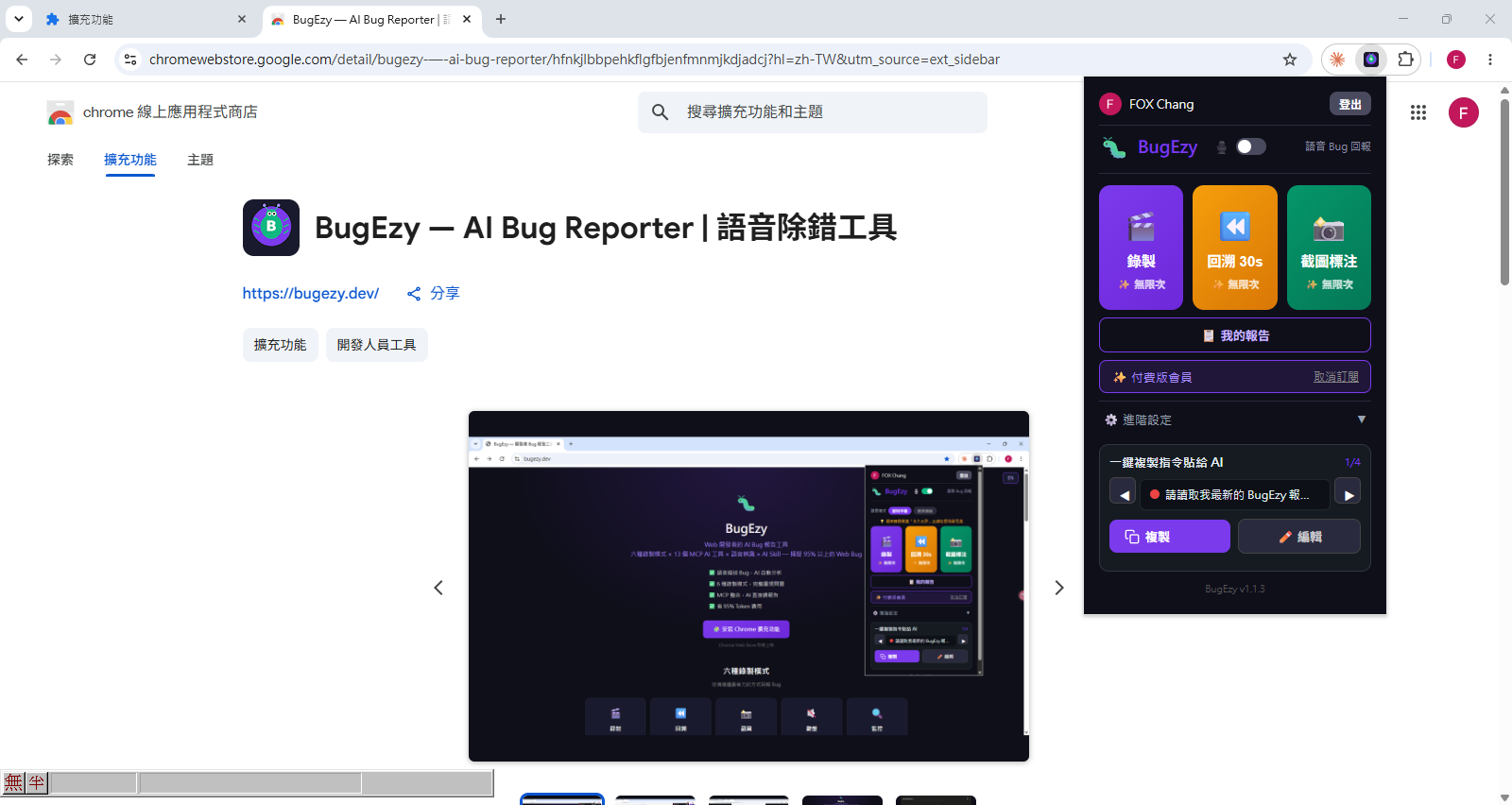
Can't explain the bug?
Just hit record and talk. BugEzy captures your screen, actions, and errors automatically — so AI can fix it for you.
10 free recordings per month · No credit card required

Just hit record and talk. BugEzy captures your screen, actions, and errors automatically — so AI can fix it for you.
10 free recordings per month · No credit card required
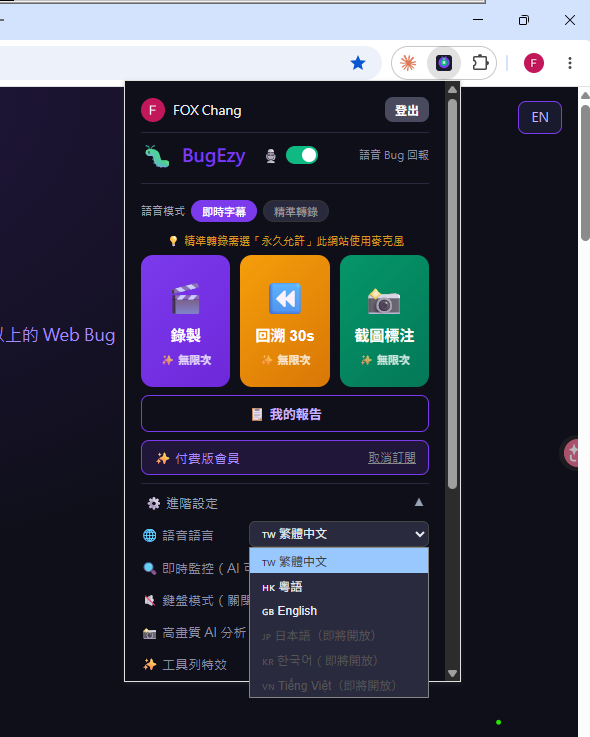
Open BugEzy, hit record. Operate and describe the issue in your own words.
BugEzy captures screen replay, error logs, and actions into a structured report.
Hand the report to AI — it tells you what broke and how to fix it.
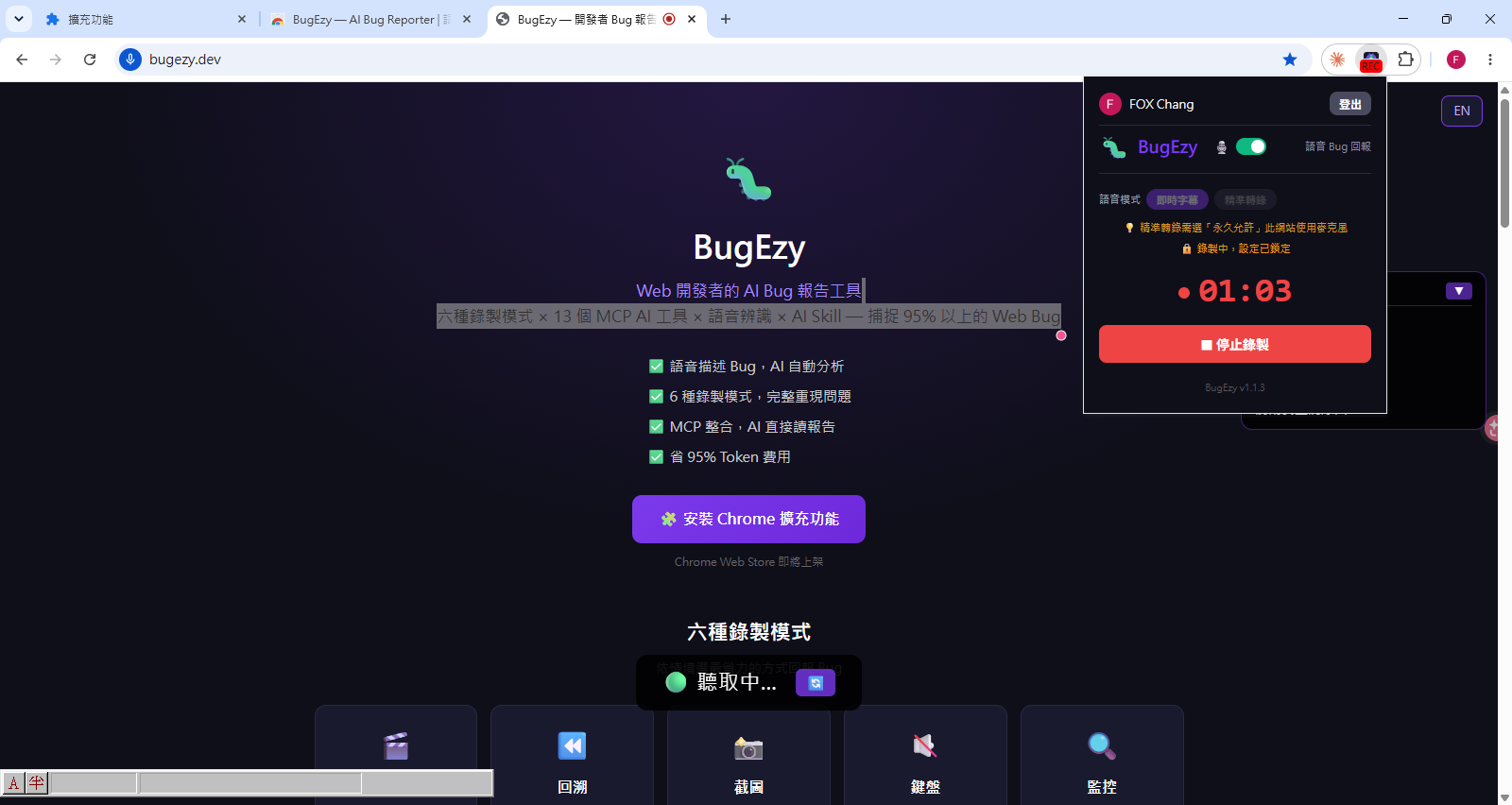
Open your browser, hit record, and just talk. Your voice becomes text in real-time.
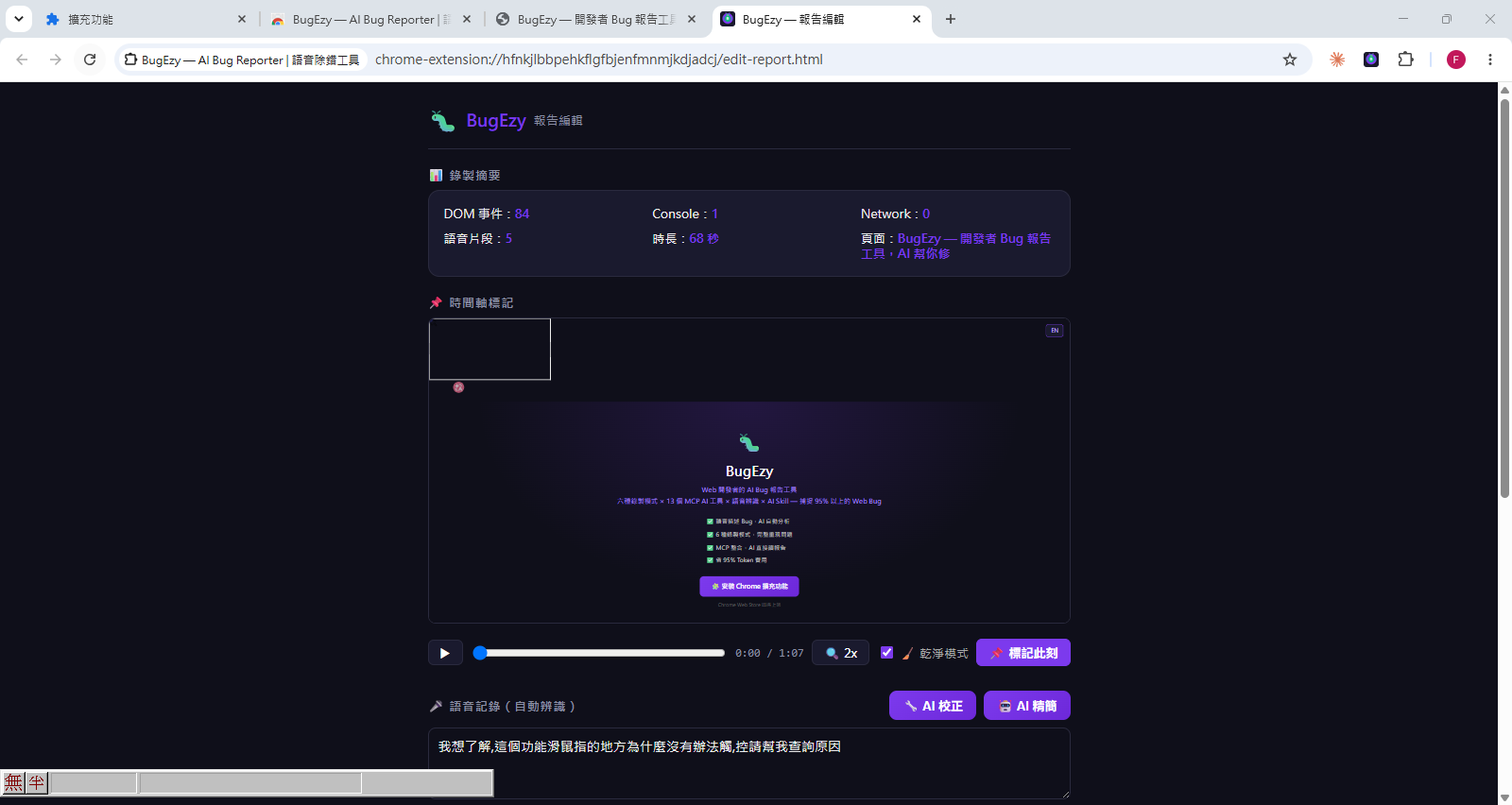
After recording, BugEzy generates a complete report — screen replay, voice transcript, and action timeline, all organized for you.
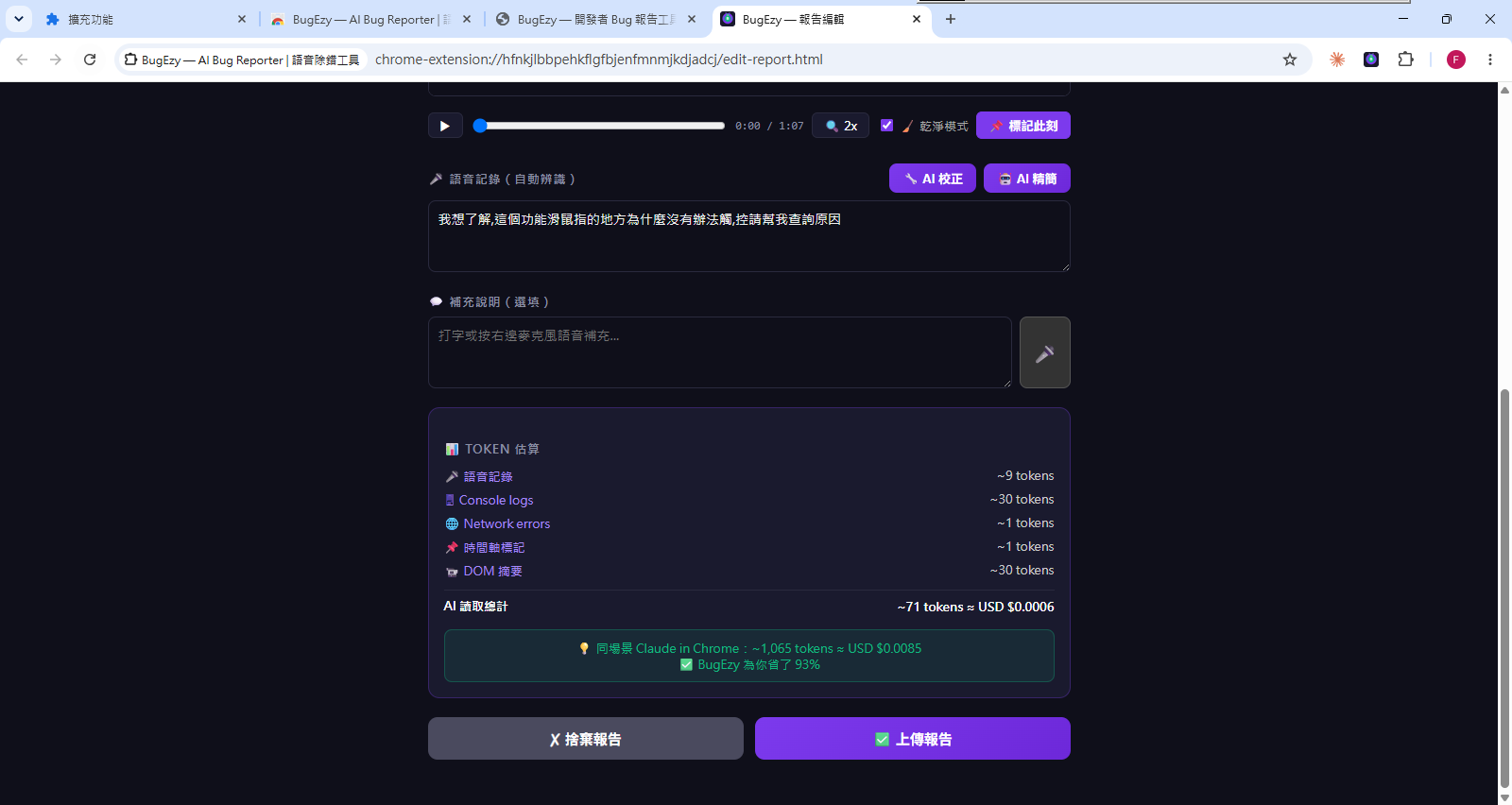
AI auto-corrects speech recognition errors and summarizes key points. Save 93% on token costs compared to sending screenshots to AI.
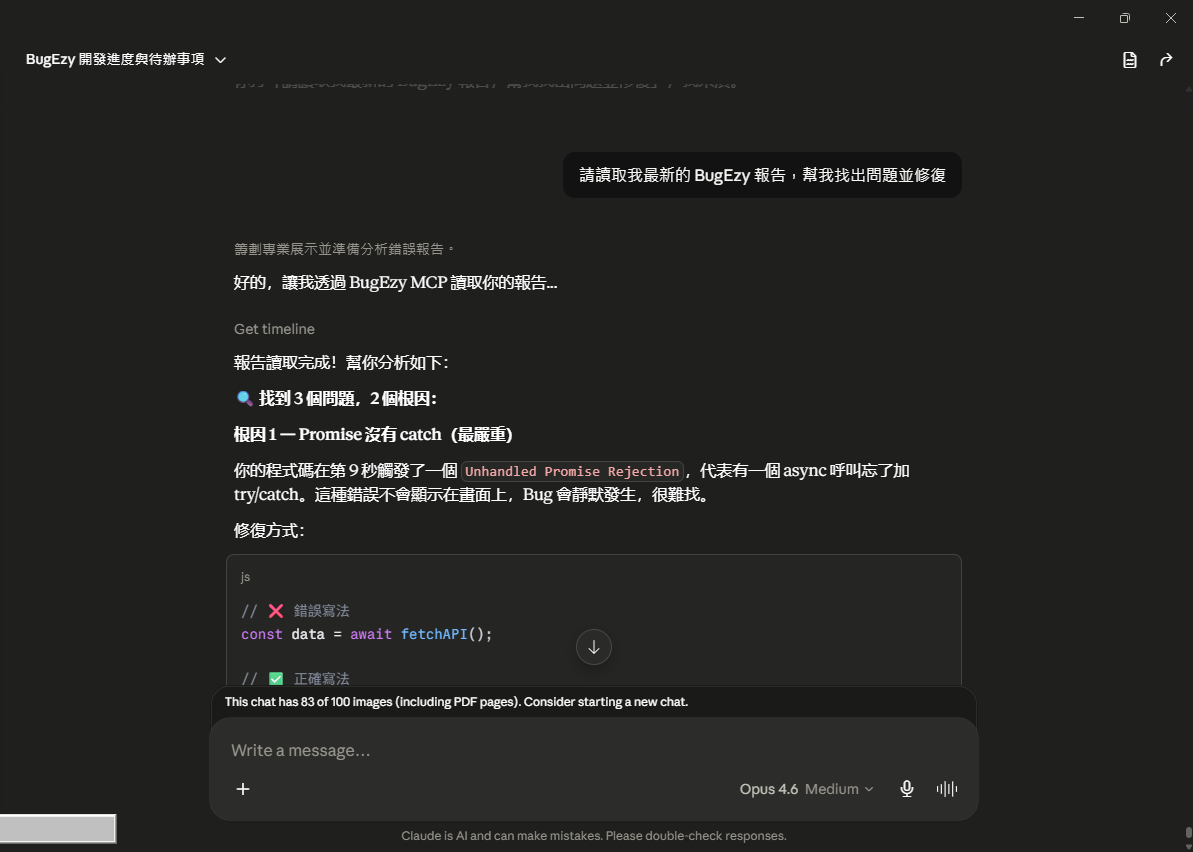
Hand the report to AI. One command: "find and fix the issues." AI analyzes, identifies root causes, and gives you the fix. No more screenshots, copy-paste, or back-and-forth.
Voice input in 7 languages
Start free, upgrade when you need it
Upgrades and day passes are purchased inside the extension — install it first, then pick a plan.